
Verifying a Complex As-Built Model: Lessons from a UK Commercial Building
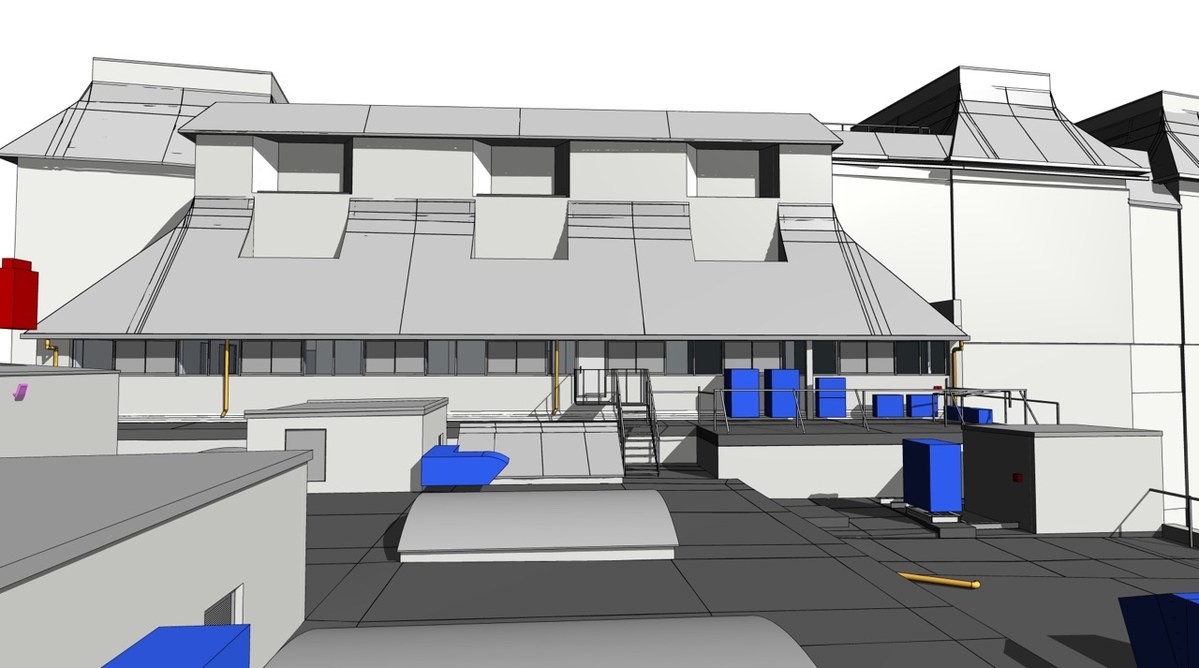
Every as-built model is only as useful as the checks behind it. On Project 314.UK, an eight-floor commercial building in the United Kingdom of about 6,250 m² (67,270 sq ft), the checking started on day one and never stopped. The team worked from high-density point cloud data between December 2021 and January 2022 and delivered a Revit model at LOD 300. This note follows the verification workflow from first scan review to final hand-over.
Starting from what is actually there
The client had no reliable record of the building after years of undocumented changes. Original drawings no longer matched the space, so they could not serve as a reference. The point cloud became the single source of truth, and each modeling decision was tested against it. The target was a geometric deviation of no more than ±15 mm (±0.6 in).
Checking the roof
A curved roof is hard to verify by eye. The team read horizontal and vertical sections from the scan, built reference curves, and created a surface that followed them. Once Revit's Roof by Face function had applied thickness and material, a deviation-analysis tool compared the result with the point cloud. Because roofs offer few vertical reference details, a mistake at the ridge or eaves would have carried down into every floor below, so this check mattered more than most.
Checking the floors
The plan had slanted walls, so no floor could be copied to the next. Engineers measured each wall angle against the main grid and modeled every level from point cloud data cropped to that level. After finishing a floor, they verified its junctions with the floors above and below. Columns and cores received special attention because any drift there would show up from top to bottom.
Checking the services
Dense building services are where omissions hide. The sprinkler pipes were small and blurred in the scan, so a dedicated specialist learned to recognize their signatures. Delivering the full set of mechanical, electrical and plumbing systems in this way is the kind of work that MEP modeling services are built for, and it relies on clear ownership of each system and zone. One engineer followed HVAC from the plant rooms down to the basement, one member swept the ceiling fixtures, and the rest of the building was divided into zones with a single modeler responsible for every object inside each.
Cross-checking in parallel
Rather than save quality control for the end, team members compared the Revit model, Navisworks and detailed sections at the same time while they worked. Problems surfaced and were solved immediately. Internal automation tools helped keep the tolerance while attaching non-geometric information such as materials, capacity and technical specifications to each element.
What the checks produced
The full record of this job is described in the write-up on Revit modeling for a commercial building in the UK, which lists the specification and the results. In short, the roof matches the scan, eight irregular floors line up, and the services appear in the model as they are installed. The client can use the same model for renovation planning, design coordination and facility management.