
From Scan to Verified Model: How a UK Office Building Was Checked Step by Step
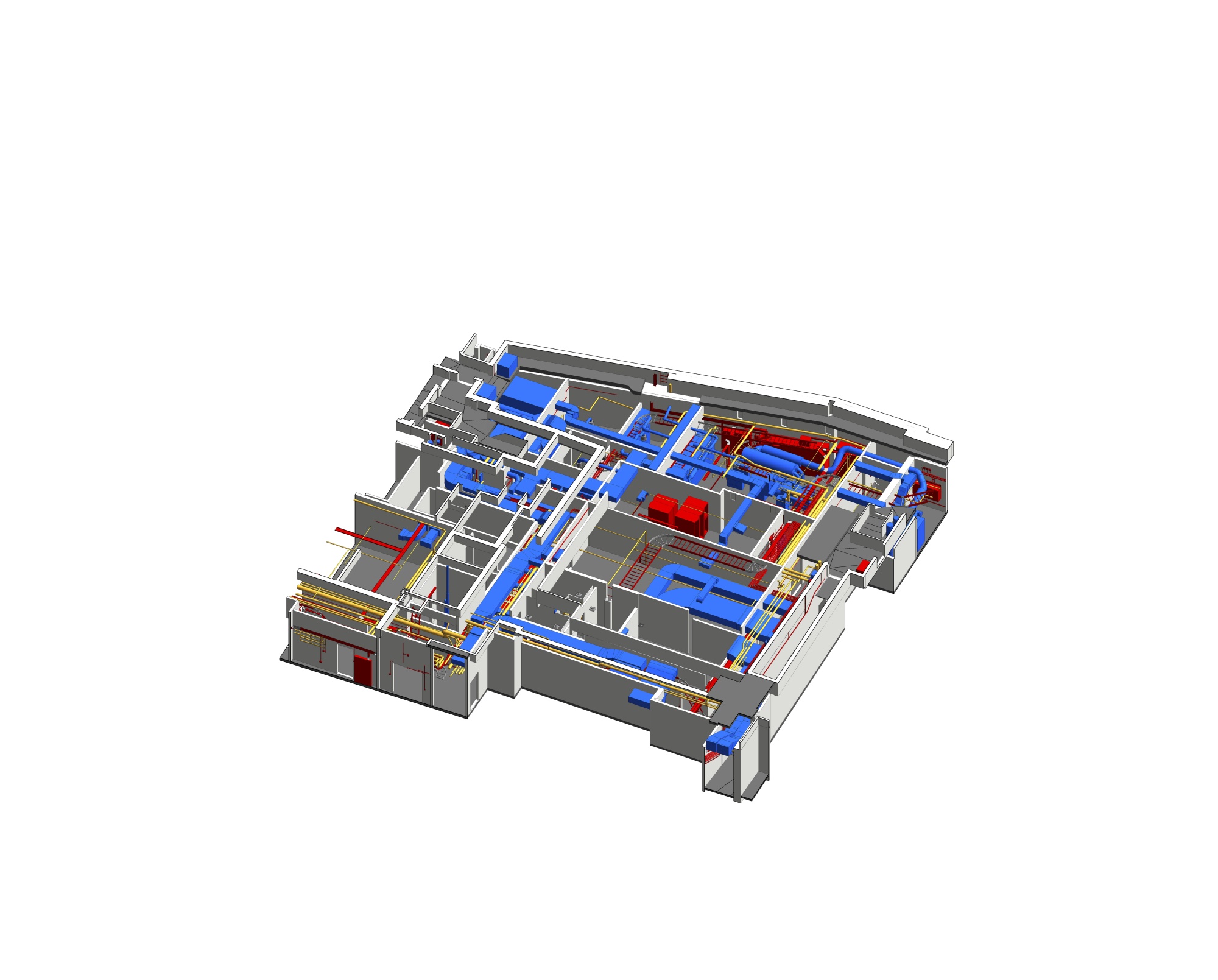
A modeling job on an existing building is only as good as its verification. This note follows the checks used on a 13,000 m² UK office building, one base level and five floors above, modeled to LOD 300 by a team of 16 specialists between April and June 2023.
Step 1: read what the inputs can and cannot prove
The team started with a point cloud and TrueView data. For MEP systems they had only PDF documents and exterior photographs. That gap mattered, because access to false ceilings, object density and the number of technical shafts could not be seen directly. Teams that offer an architectural scan to BIM service face this kind of uneven data often, so estimates had to lean on area, project type and earlier similar work.
Step 2: verify the facade against several sources
The classical exterior held many small decorative elements. Modelers compared the point cloud with current photographs and reference documents before accepting a shape. For the Paint tool in Revit, which the client required for realistic finishes, they matched materials and colors against Google Maps, photos, TrueView and existing data.
Step 3: control MEP quantity and quality
Dense MEP objects in the basement, rooftop and shafts made counting hard. Staff were assigned by system and zone, with experienced people supervising newer ones each day. Vertical shafts and horizontal routes were modeled as separate streams, and Revit and Navisworks were used together. Inspection layers included section checks, Navisworks validation and internal software checks. Unclear objects went back to real images, TrueView and Recap data.
Step 4: respond when verification finds a deeper fault
At 80% completion, the client found registration errors in the point cloud. Comparing against an updated point cloud revealed offsets in elevation, tilt and the X-Y axis in finished work. Fixing elevation and tilt late can break links, hide objects and shift positions. Senior QA managers analyzed the root causes, chose correction methods and brought in additional qualified staff to protect schedule and quality.
Step 5: close out after QC
After QC, the team corrected every error, including those the client reported and those not yet visible. The full case, with its inputs and results, is documented on the Revit modeling for office building at UK project page.
What the checks delivered
The model reflects existing conditions, particularly the classical details and surface materials. Managers can plan maintenance, renovation and upgrades from it, and exact MEP locations support repair and later system upgrades.