
From Point Cloud to Pick Path: A Verification Walkthrough for a Roller Coaster Model
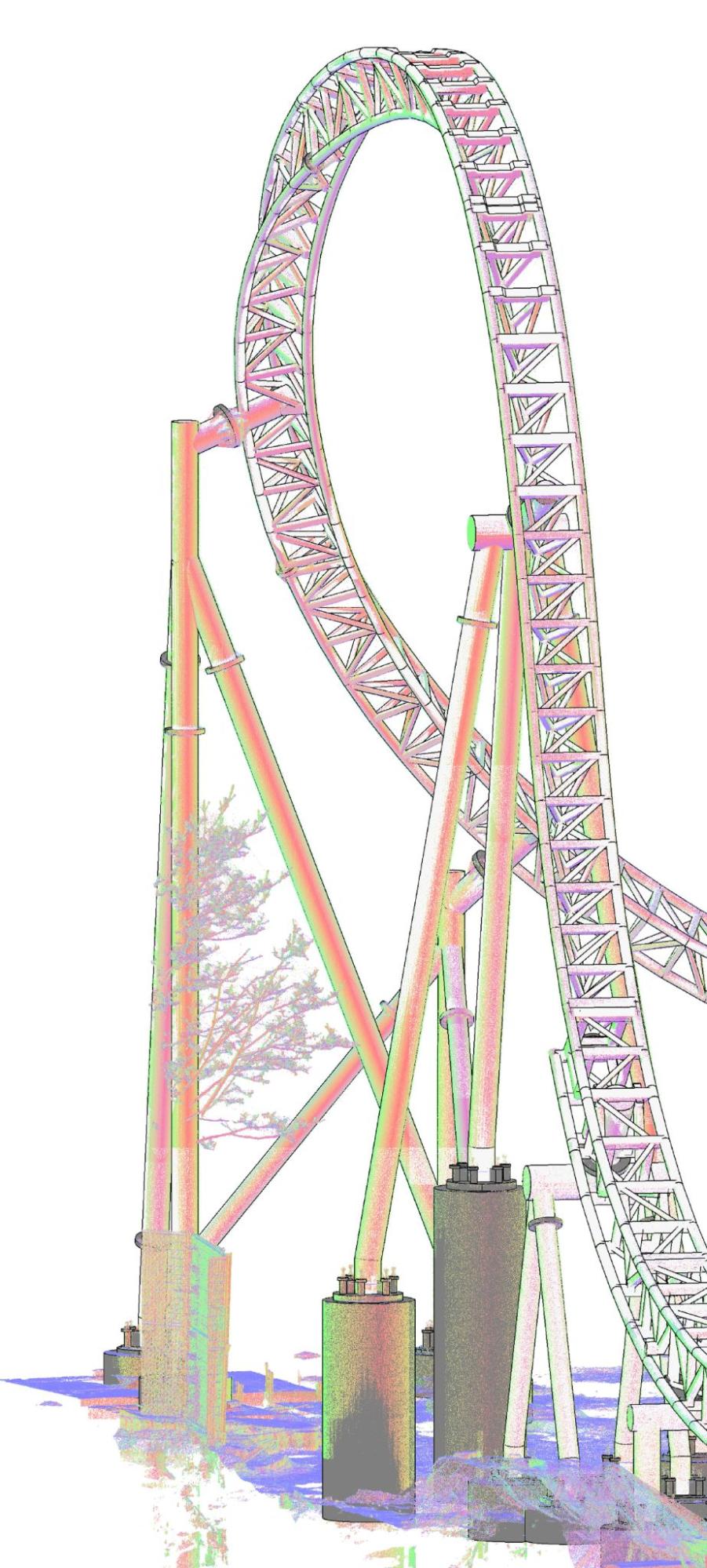
Verifying a structural model of a roller coaster is a different exercise from checking a building. There is no grid to snap to and no repeating bay to compare against. Project 605.Canada, a Canadian attraction of 2,300 m² on a single level, was modeled over two months in early 2024, and its workflow was built around checkpoints that keep the geometry honest.
Start with the nodes
Before any track element existed, the team located the intersections where track segments meet supports. Revit Massing forms were placed at those points, using coordinates taken straight from the point cloud. These forms are the first checkpoint. If a node sits off the scan data, every element built from it inherits the error, so nodes are checked before anything else.
Build the path, then test it
The nodes were connected into a continuous 3D path that represents the track centerline. A path is easy to inspect: overlay it on the scan and look for places where it drifts from the real track. Fixing a path costs far less than fixing hundreds of finished elements, which is why this stage comes before any framing is placed.
Place elements along the path
Custom structural framing families, shaped to the track profile, were then applied with the Pick Path method so each element follows the approved centerline. Because the geometry is driven by the path, the curving sections stay consistent with the checked skeleton instead of depending on hand placement.
Why verification matters here
The owner wanted to analyze structural integrity and plan maintenance, so the model had to be trustworthy as a reference. Teams that run structural analysis in other platforms need elements that carry correct parameters and sit where the real members sit. That is the standard the delivered Revit file was held to, at LOD 300.
Where this fits
This approach grew out of our broader structural BIM services, where complex frames call for checkpoints at every stage.
The full case, including the client brief and the business impact, is written up as a project record: Structural revit modeling for a complex roller coaster in Canada covers the details this walkthrough leaves out.
Closing note
The lasting result is a digital archive of a structure that conventional tools struggle to describe. With nodes, path and families all checked against the scan, the owner can plan renovations and maintenance from a model that reflects what was actually built.