
Checking a BIM File Before You Accept the Handover
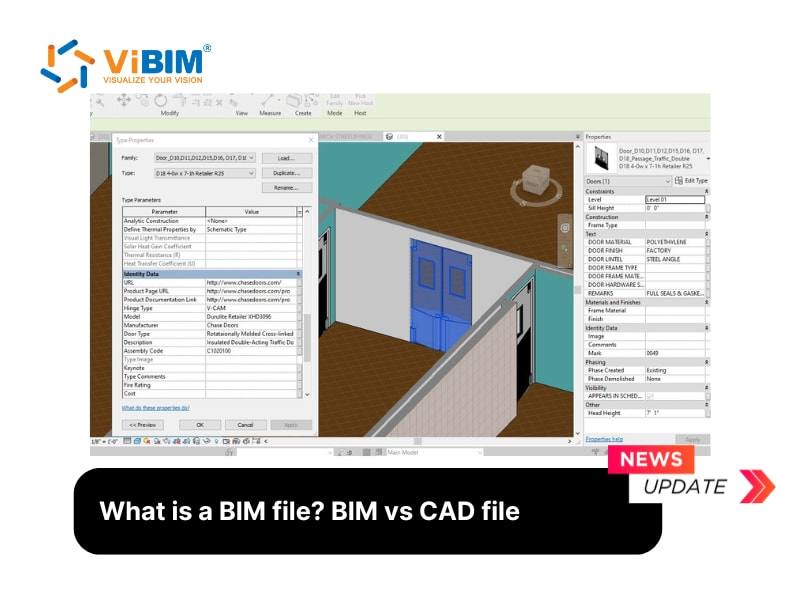
Receiving a model from a design team or a modeling vendor is only the first step. The harder step is deciding whether the file is ready to use. A BIM file is more than a 3D shape. It is a digital model that carries geometry, project data and documentation together, so a proper check has to look at all three layers instead of only opening the model and rotating it on screen.
Start with the geometry. Open the model and confirm that architectural, structural and MEP elements sit where the project brief says they should. Geometric data describes the exact shape, dimensions and spatial relationships of each element, so gaps, overlaps and missing disciplines show up quickly at this stage. Teams that start from a site survey often order point cloud modeling services to turn scan data into this geometry, and the same review applies to that output: compare the model against the agreed scope, not against a general impression of quality.
Next, look at the data attached to the elements. Non-geometric data covers materials, cost estimates, energy use, schedules and maintenance information. Pick a handful of elements, such as a wall type, a door and a piece of mechanical equipment, and read their parameters. Empty or inconsistent fields are a common sign that a model was built for appearance only. A model that cannot answer basic questions about its own components will not help the facility team later.
The third layer is documentation. Client requirements, design specifications and operation manuals should be traceable from the model or listed in the handover package. Where the project follows an information management standard such as ISO 19650, check that naming, versioning and responsibilities match what the contract describes. Documentation is the layer most often forgotten, and it is the one owners miss most when a building moves into operation.
Format is the fourth question. Native files such as RVT for Revit, PLN for ArchiCAD or NWD for Navisworks keep the full behavior of their software but travel poorly between platforms. Open formats such as IFC, COBie and BCF are built so that different applications can read the same information. A sensible handover often includes both: the native file for editing and an open export for coordination and review. Ask which version is the source of truth, and test that the export opens in a second program without losing key parameters.
Finally, write the result down. A short acceptance note that lists what was checked, which files were received and what must be corrected gives both sides a clear record. If you want a deeper explanation of the file types, their contents and how BIM files differ from CAD files, the article what is a BIM file walks through each format in turn. With that background, a handover review becomes a repeatable routine rather than a judgment call made under deadline pressure.